
Creating courses with AI in Courses Plus app for Shopify
In the Courses Plus app for Shopify, you can create a complete course in just a few clicks using AI. It’s fast, intuitive, and helps you build structured course content in minutes.
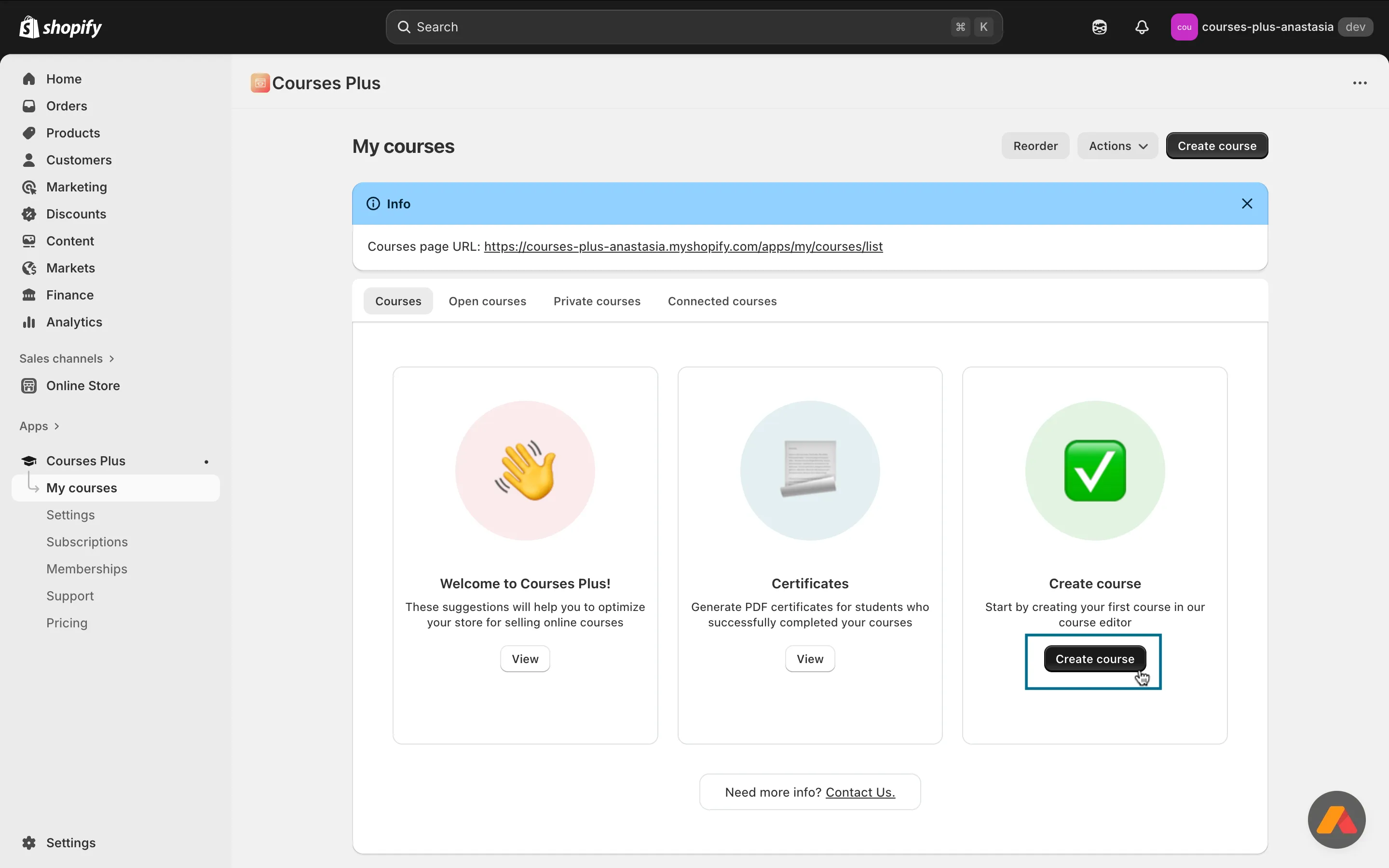
1. Go to “My Courses”
Open your dashboard in Courses Plus and go to the My Courses section. Click Create course button to start building your new course.
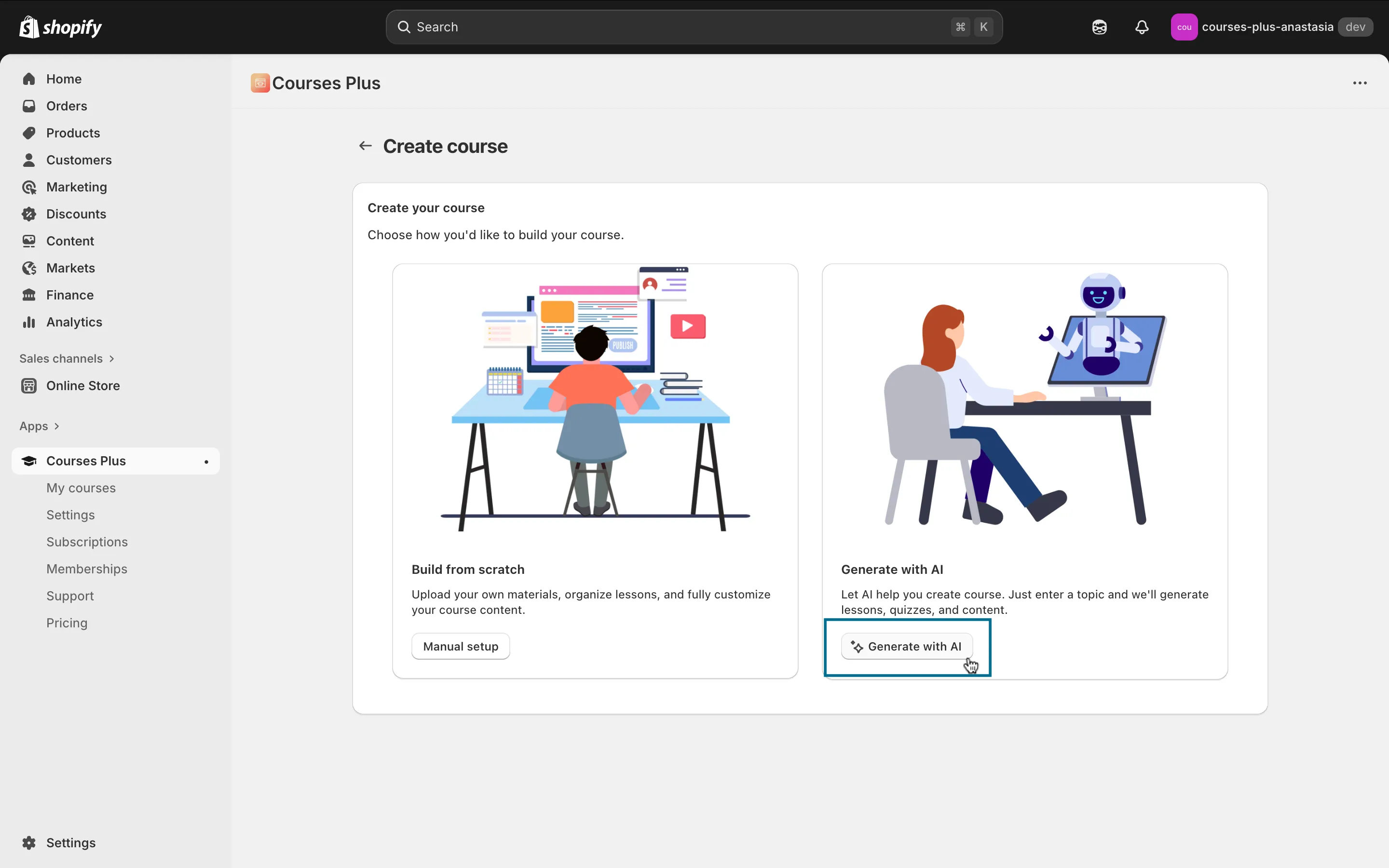
2. Select “Generate with AI”
Choose the Generate with AI option — the app will automatically generate your course structure based on your input.
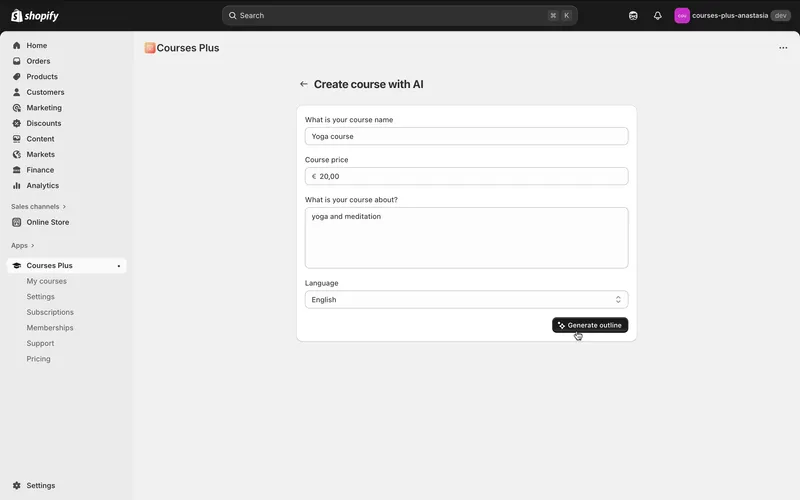
3. Fill in the course details
Provide the main information for your course:
- Course name
- Course price
- What is your course about? — describe the main idea or topic in a few sentences
- Choose the language your course will be generated in.
4. Click “Generate outline”
After filling in all the details, click the Generate outline button.
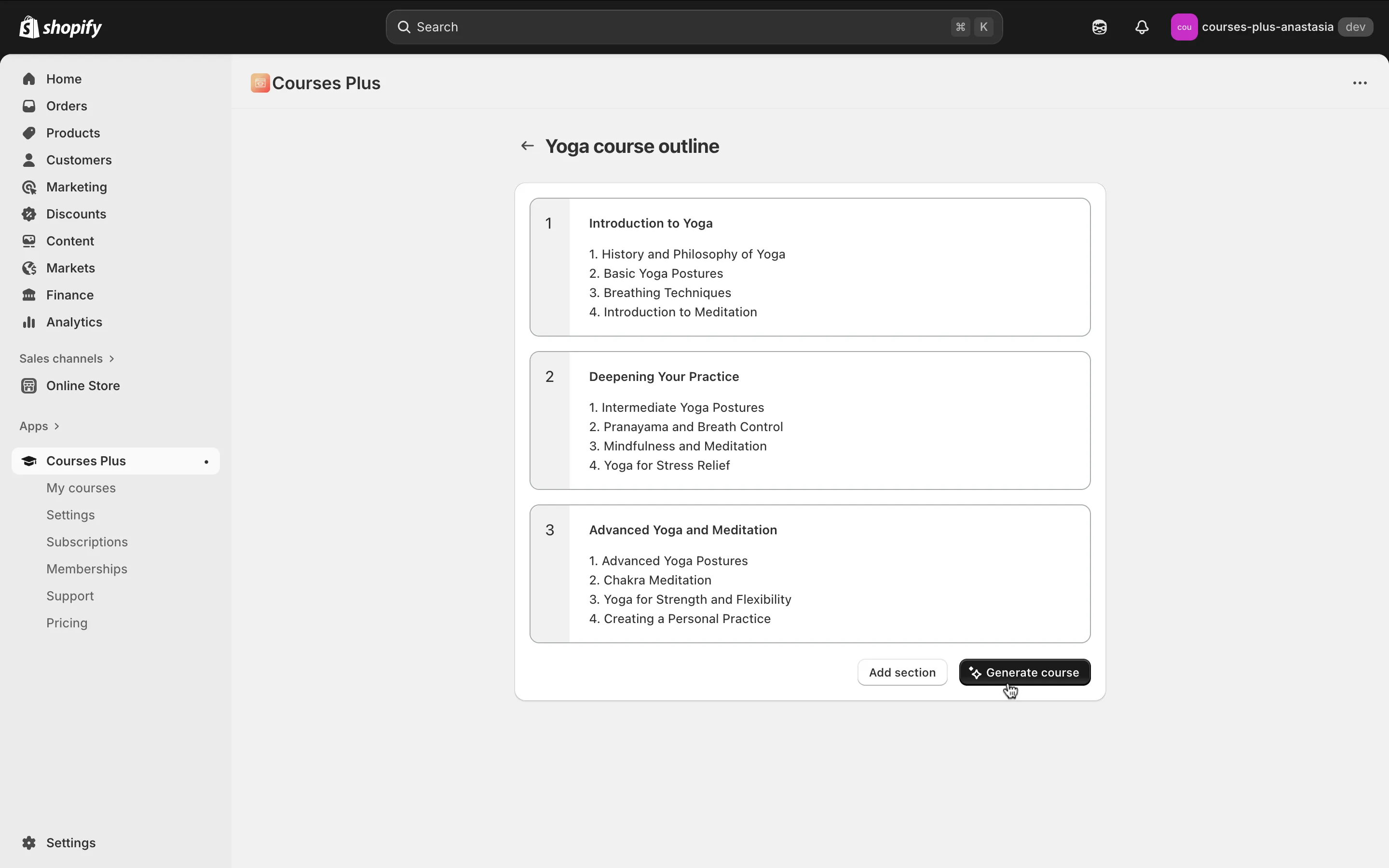
The AI will create a structured course outline that includes clear sections and lessons
5. Click “Generate course”
Once the outline is ready, click Generate course.
The app will expand your outline into a complete course — with lesson texts, summaries, learning objectives, and suggested resources.
That’s it!
In just a few simple steps, your course is ready — complete with sections, lessons, and structured content generated by AI.
From here, you can customize your materials, adjust the lesson flow, and start sharing your course with your students.
A step-by-step video tutorial is also available if you’d like to see the process in action.
Want to see what else the app can do? Explore all Courses Plus features, from drip content and quizzes to certificates and memberships.