
Customer profile in Mega Community app for Shopify
Mega Community provides a dedicated customer profile page, allowing Shopify customers to manage their personal information and view their activity within the community.
How to access a profile
Click the person icon in the top-left corner after logging in to open your own profile. To view another user’s profile, click their name on any post or comment — similar to platforms like Facebook, X, Instagram, TikTok, LinkedIn or Threads etc. You’ll see their posts and comments, if you have access to the relevant topics or communities.
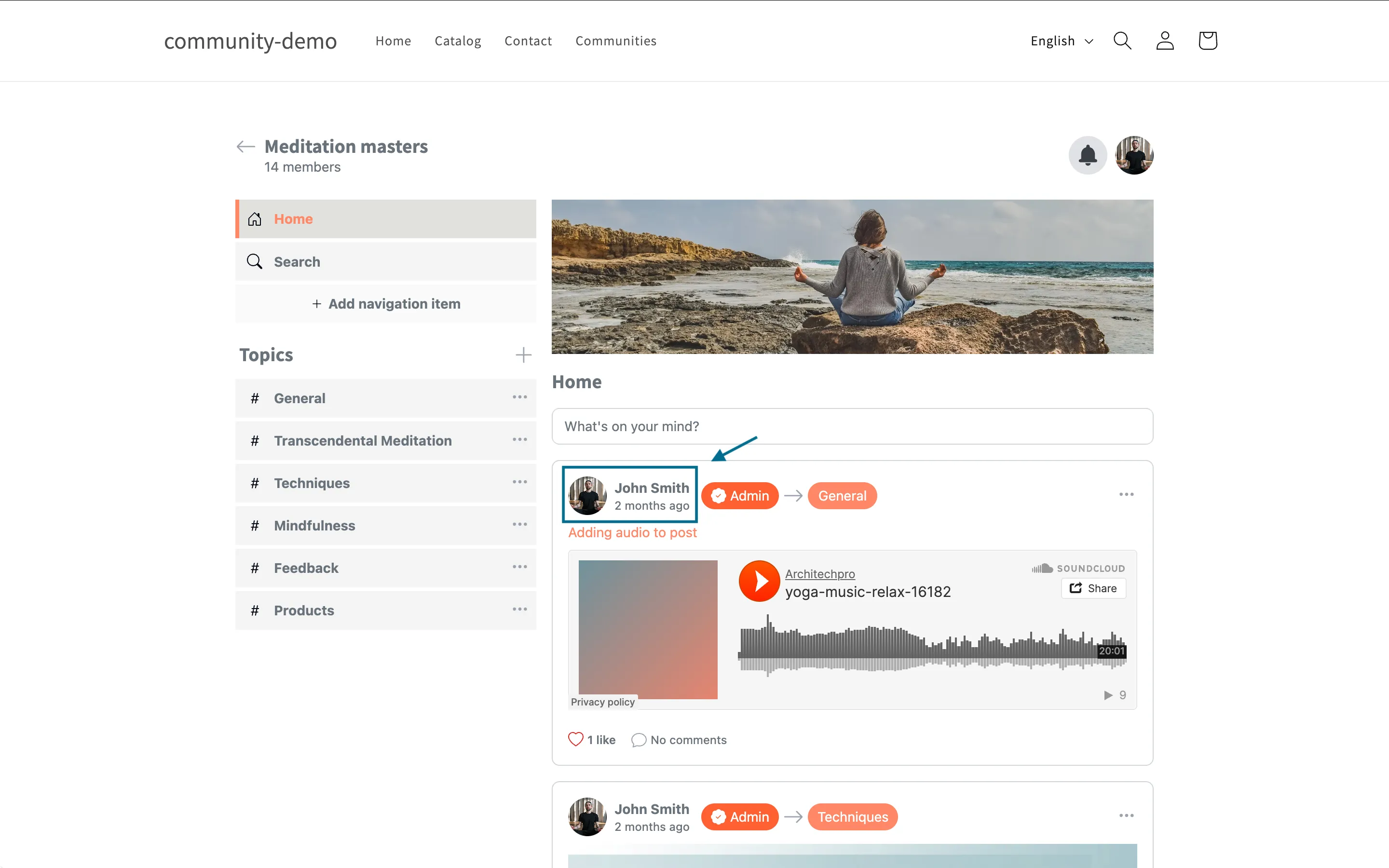
Profile management
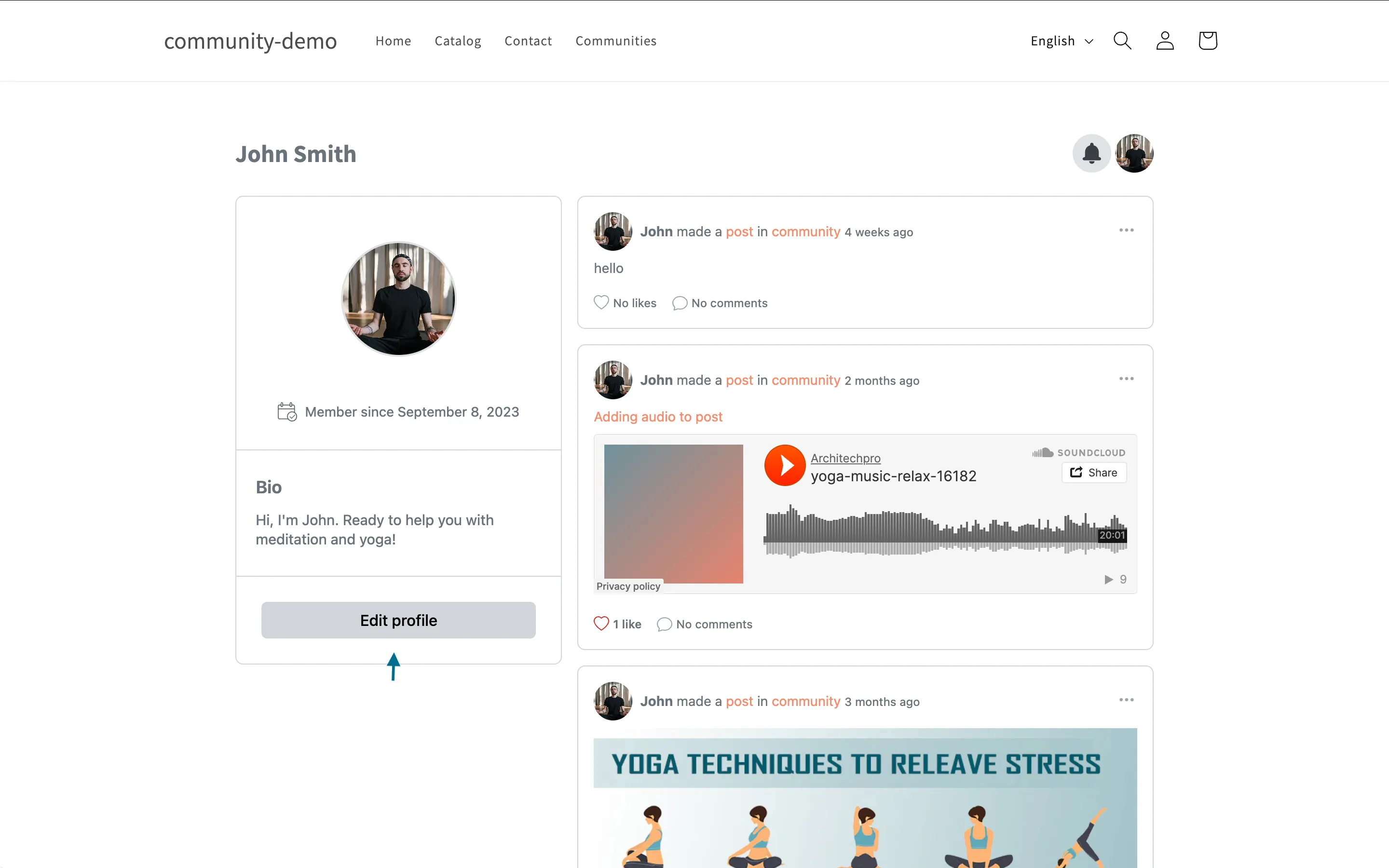
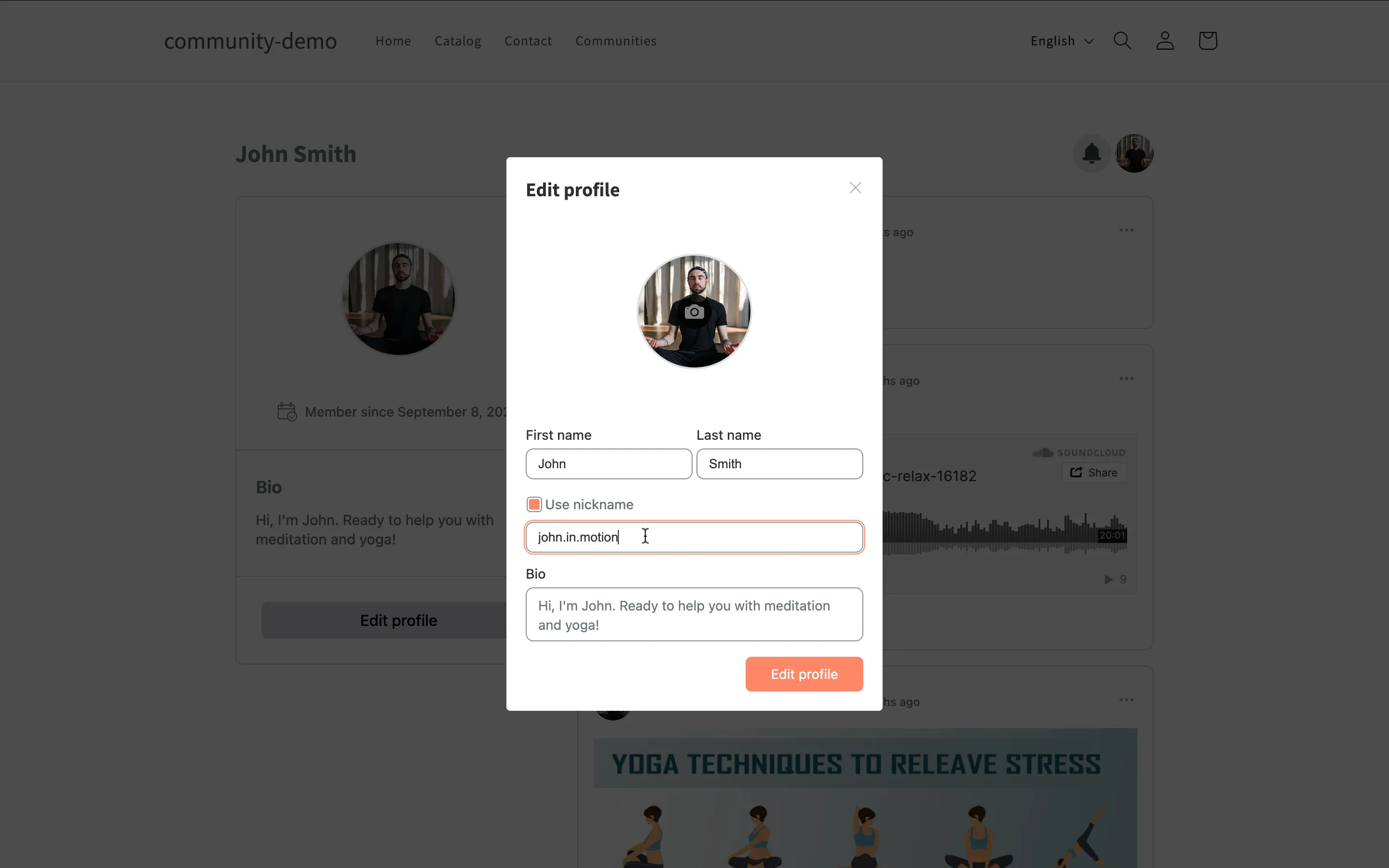
The profile page allows users to edit key details, including their first and last name, biography, and a custom nickname (if the feature is enabled). To begin editing, click the "Edit profile" button:
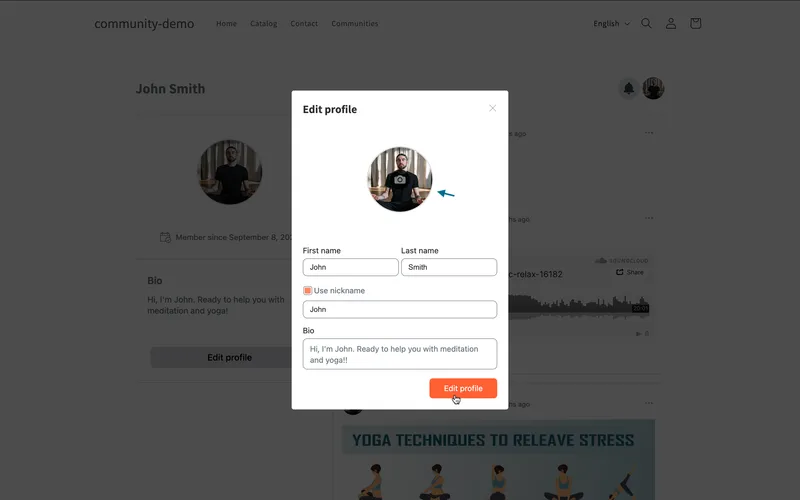
Then you will be able to change information by filling in the necessary fields. You can also change your avatar. To upload a new image, click the camera icon on the avatar placeholder (supported formats: .png, .jpeg, .jpg, .webp).
All changes must be confirmed by clicking the "Edit profile" button.
Nickname usage
Mega Community supports displaying a custom nickname instead of Shopify account details (such as first name and last name) on post and comment cards, as well as on the profile page.
To enable this feature, follow these steps:
-
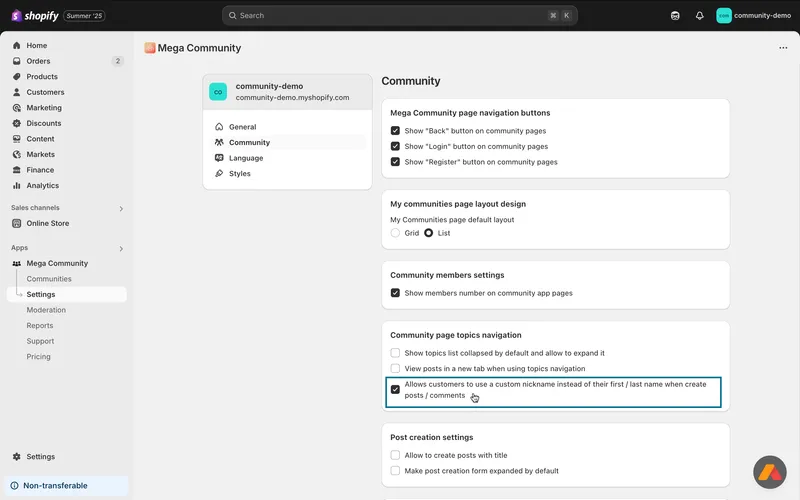
Administrators need to activate option in Community settings (Shopify admin) by enabling "Allow customers to use a custom nickname."
-
After that, customers will be able to enter their nicknames, which will be displayed instead of their names.
Install Mega Community app for Shopify to build a simple, connected community inside your store.
1 comment
Wow! This is such a great app to build a community around Shopify stores!